Enable and timeout
The app stays off until you save. Pick 5, 15, 30, or 60 minutes (default 15).
How-to guide →Wix App · Idle Logout
Wix Members can enroll a passkey once, then sign in with their device lock or security key. Drop in the login button and settings widgets — no extra password field required.
What’s new →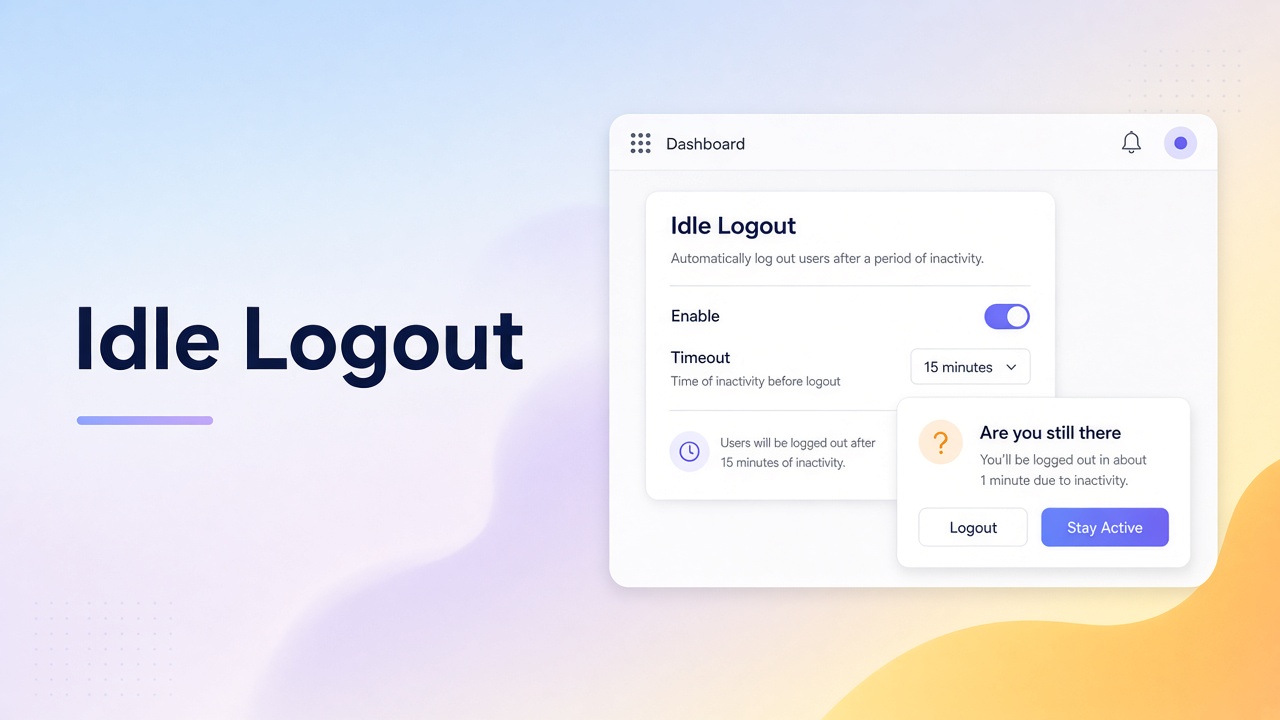
What it ships
Add these from the app. They do not replace Wix Members sign-up. Deep dives live in Docs and the Blog.
The app stays off until you save. Pick 5, 15, 30, or 60 minutes (default 15).
How-to guide →An accessible dialog asks if they are still there. Stay signed in starts a new idle window.
How-to guide →An essential body script tracks activity without storing keys or coordinates, then calls native member logout.
How-to guide →Closed browsers, other devices, and JavaScript-off visitors are out of scope. Members Area is required.
How-to guide →Setup
Add Idle Logout and Members Area on the site.
Open Idle Logout in the dashboard, enable it, choose a timeout, and save.
Publish the site so logged-in members pick up the idle timer.
FAQ
A dashboard Idle Logout page and an essential embedded script. There are no widgets to place on the canvas.
No. Members Area is required. The app only ends an inactive member session in this browser.
On the published site after you save with Enable on. Preview does not register the embed.
Enrollment is for signed-in members. Visitors who are not members should sign up or log in with an existing Wix Members method first, then add a passkey.
Feedback
Worked, didn't work, or missing entirely — we read every submission.